 dj-digger
The whole digging loop in one window
Every picture on this page is the real app, running on demo data.
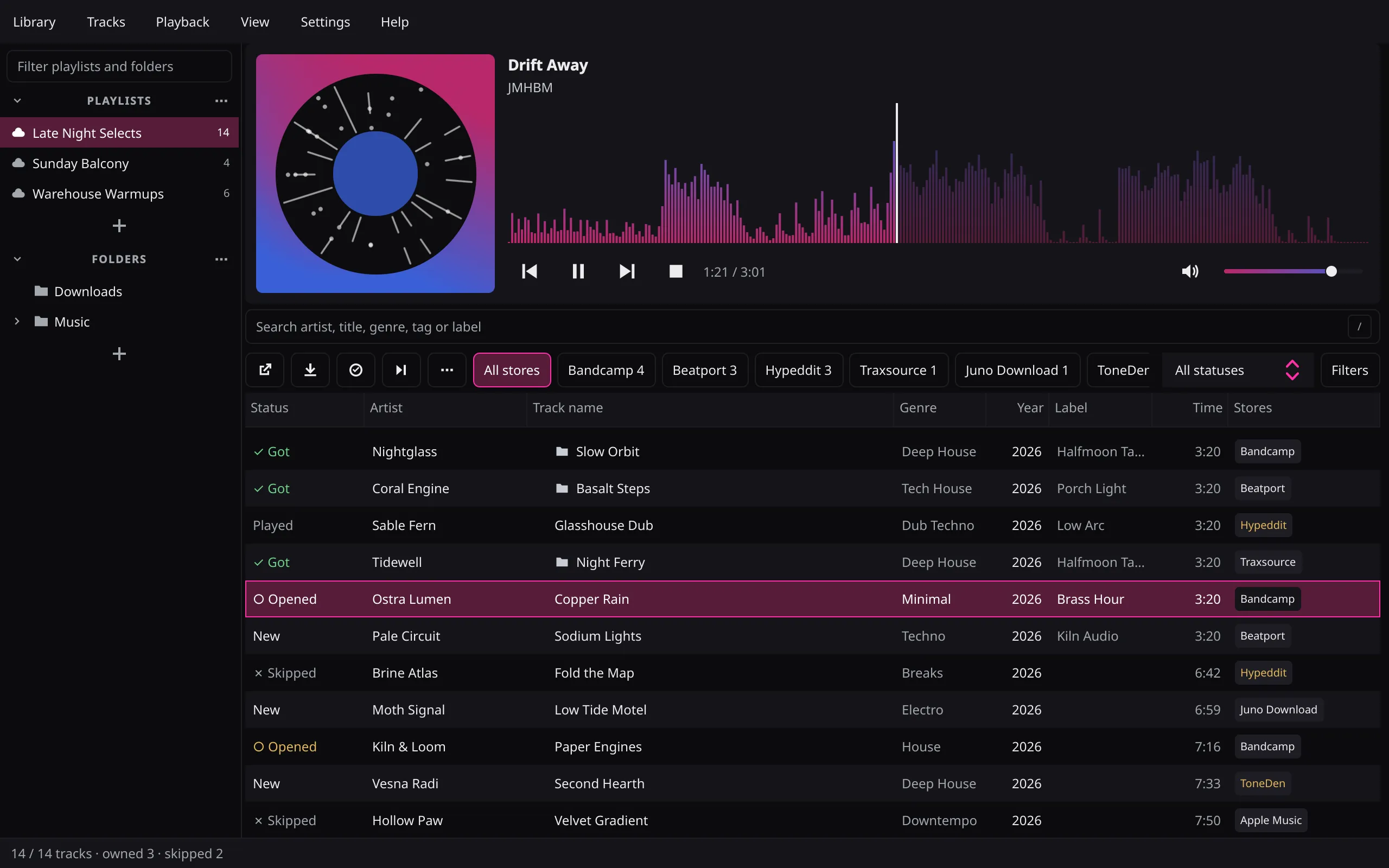
Whole SoundCloud playlists, not a scrolled page
The app reads the whole collection through SoundCloud's API.
- Playlists and sets, likes, reposts, artist profiles and single tracks
- The import fills the table batch by batch, and is saved once all of it has arrived
- Sign in to SoundCloud to read your own private playlists
- Refreshing a playlist puts what it gained on top, marked
NEW
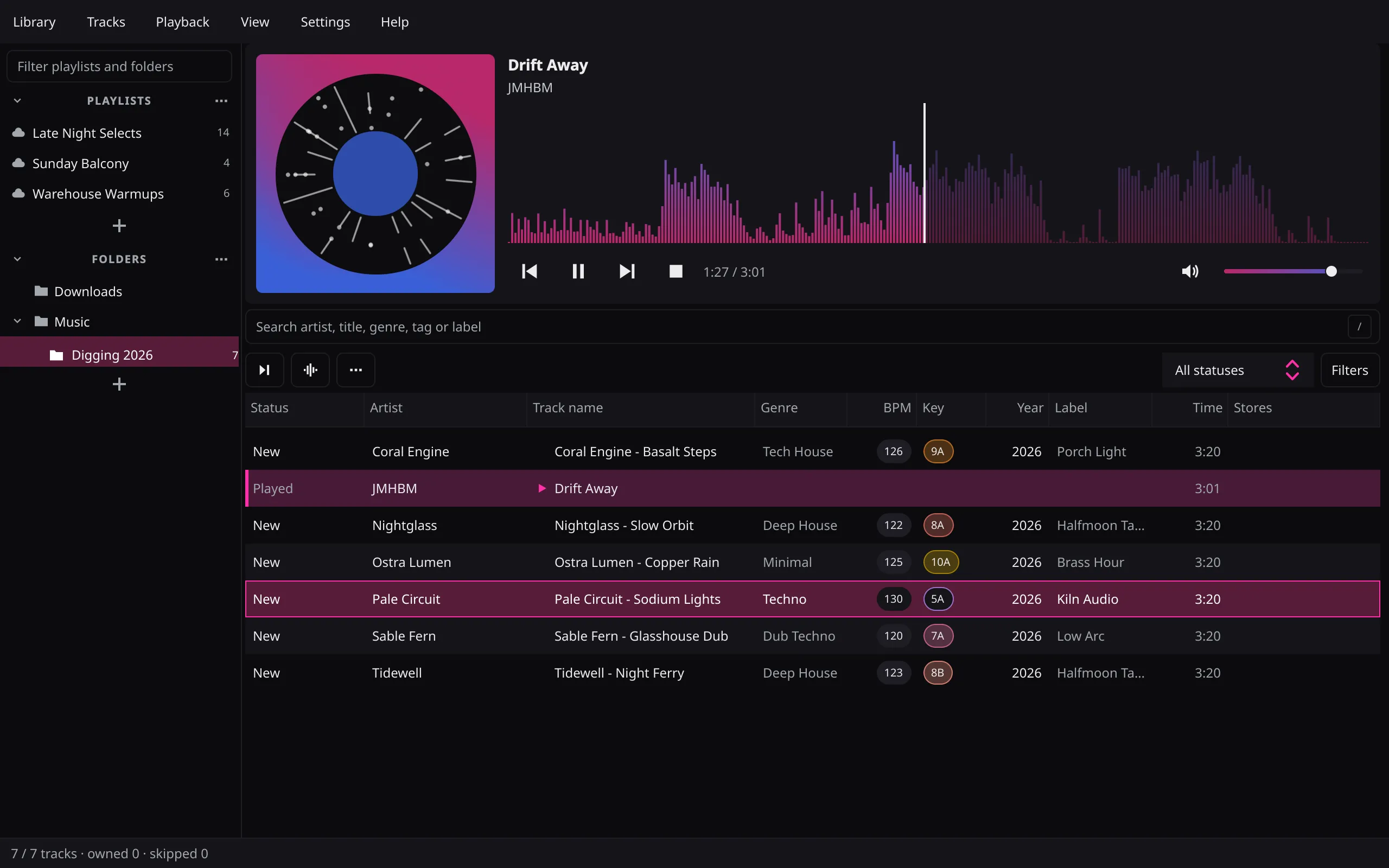
Preview on a waveform that feels the kick
Stream a SoundCloud preview, or play the file on disk when you have one.
Mathilde Fernandez - Temple Sourire (Strenx & Lezguy Edit)
- Seek on the waveform; the next track is prepared ahead
- On every kick the played side of the waveform lights up, following the kick drum, not the bass line
- Previews are decoded in memory and never saved to disk
- Search, filter and sort without leaving the playlist; ? lists every shortcut
- View → Animations switches the light off
Crates that remember what you got and skipped
Got, skipped, played and opened: every track keeps its status.
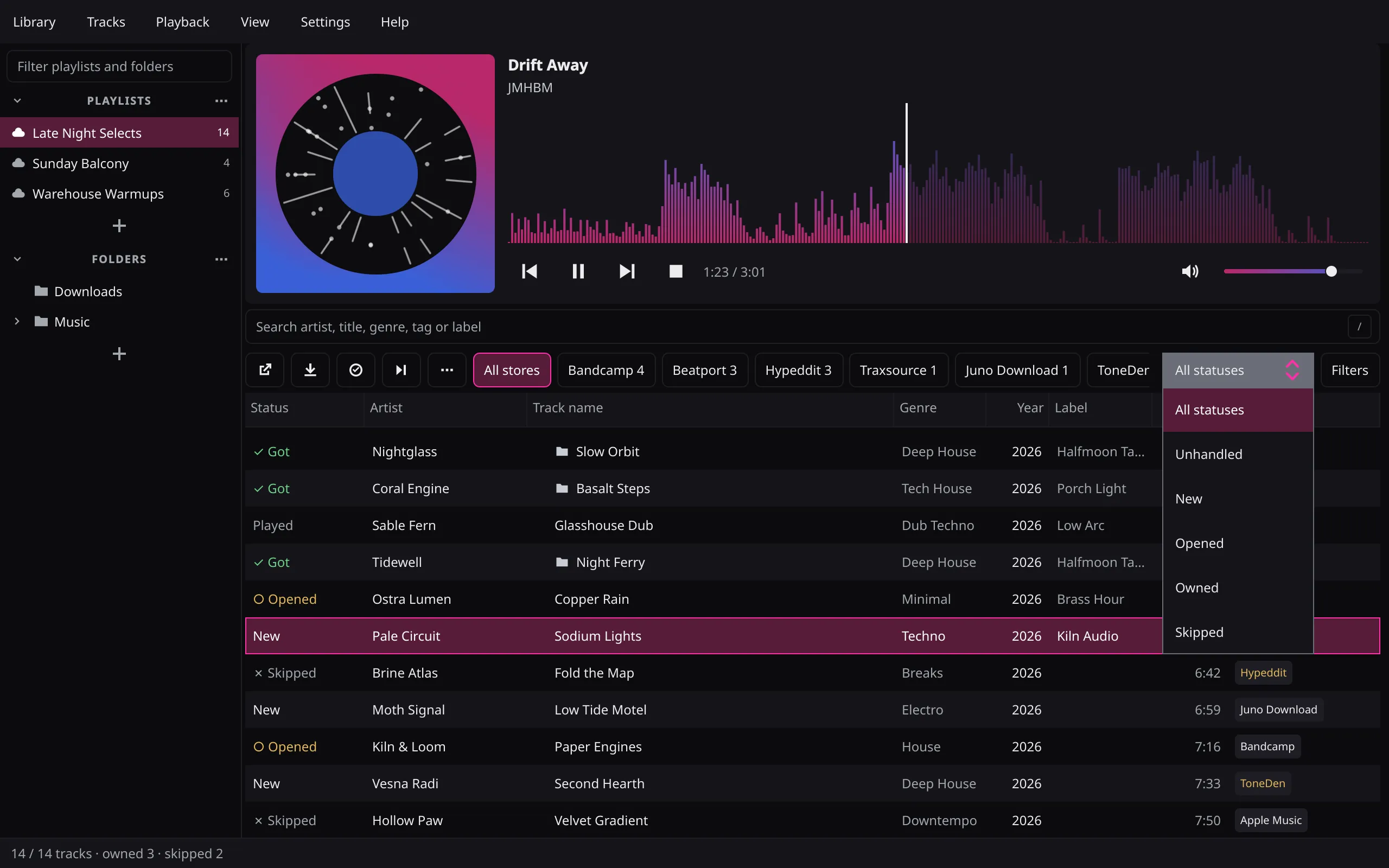
- Scans your music folders: a confident artist-and-title match is marked got and plays from disk
- H shows only the tracks still to handle, and everything again
- Filter by status, store, genre and more
Buy it or get it free: the safest way to each track
Three ways to the file. Each one says what stays with you.
Every link, sorted
Purchase and download links are classified by strict domain matching: Bandcamp, Beatport, Traxsource, Juno Download, Apple, record shops, download gates, smart links and free SoundCloud downloads. A link that turns out to be a list of shops is opened, and the Bandcamp and Beatport links behind it land on the track.
Stays with you Which link to open: O or Enter opens the selected tracks' links in your browser.
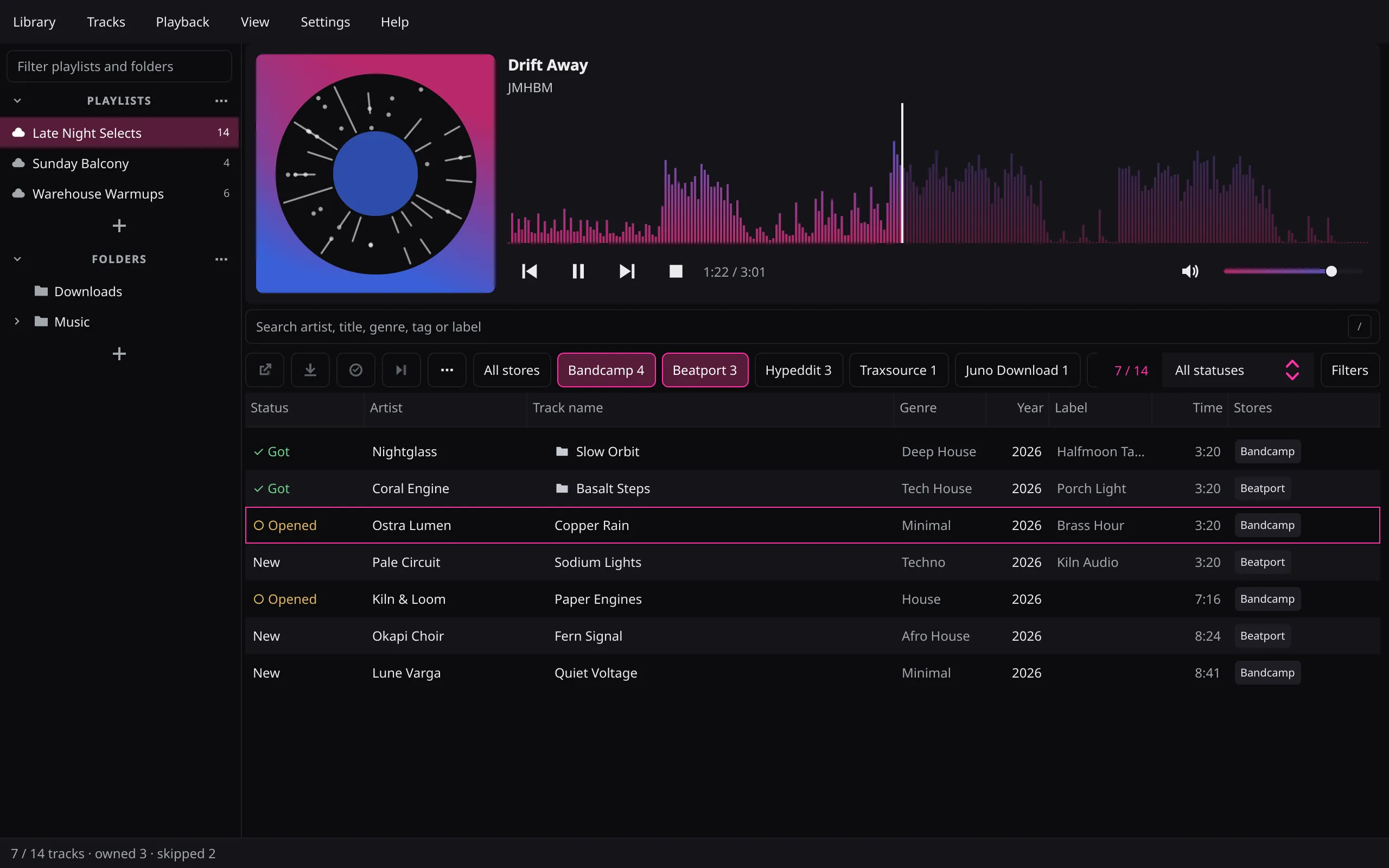
Download gates, handled
Follow-to-download gates on Hypeddit, ToneDen, GateRush and Droploud are resolved through their own download flows. When a gate needs the browser, the extension walks its steps out of sight and the file arrives in the app. Social steps follow Allow social actions in Settings, on by default; switch it off and those gates stay manual.
Stays with you CAPTCHAs, provider sign-ins and first approvals. The app asks first, and a browser window opens only if you choose to.
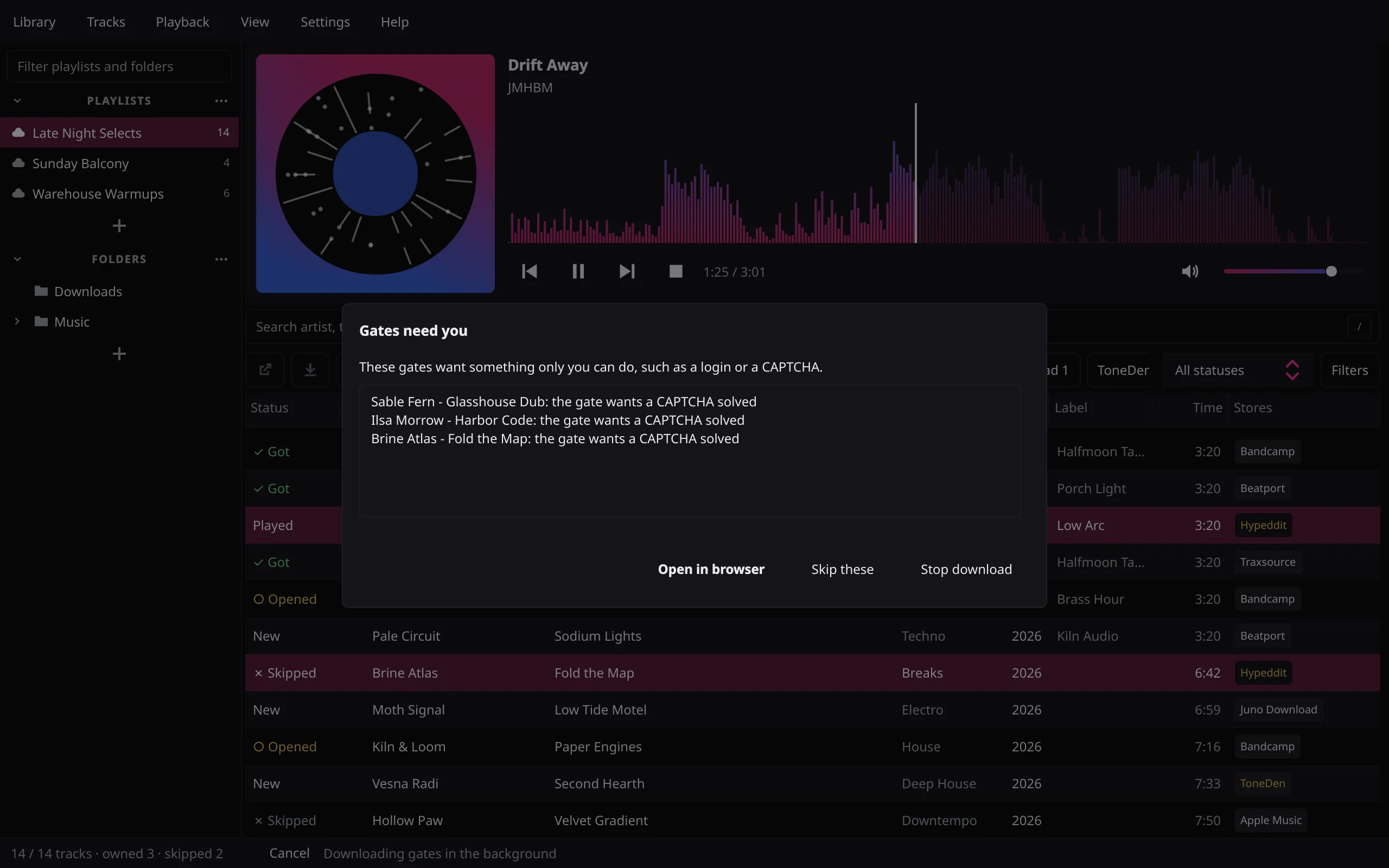
Carts, never checkout
Tick tracks and the app fills your Bandcamp cart, and your Beatport cart when the exact track is known, in background tabs of your own browser. Every product page is rechecked right before its click; an ambiguous title, a changed price or an album-only track stops instead of guessing.
Stays with you Checkout. One cart tab per store becomes yours; the app never reads your password, picks a payment method or pays.
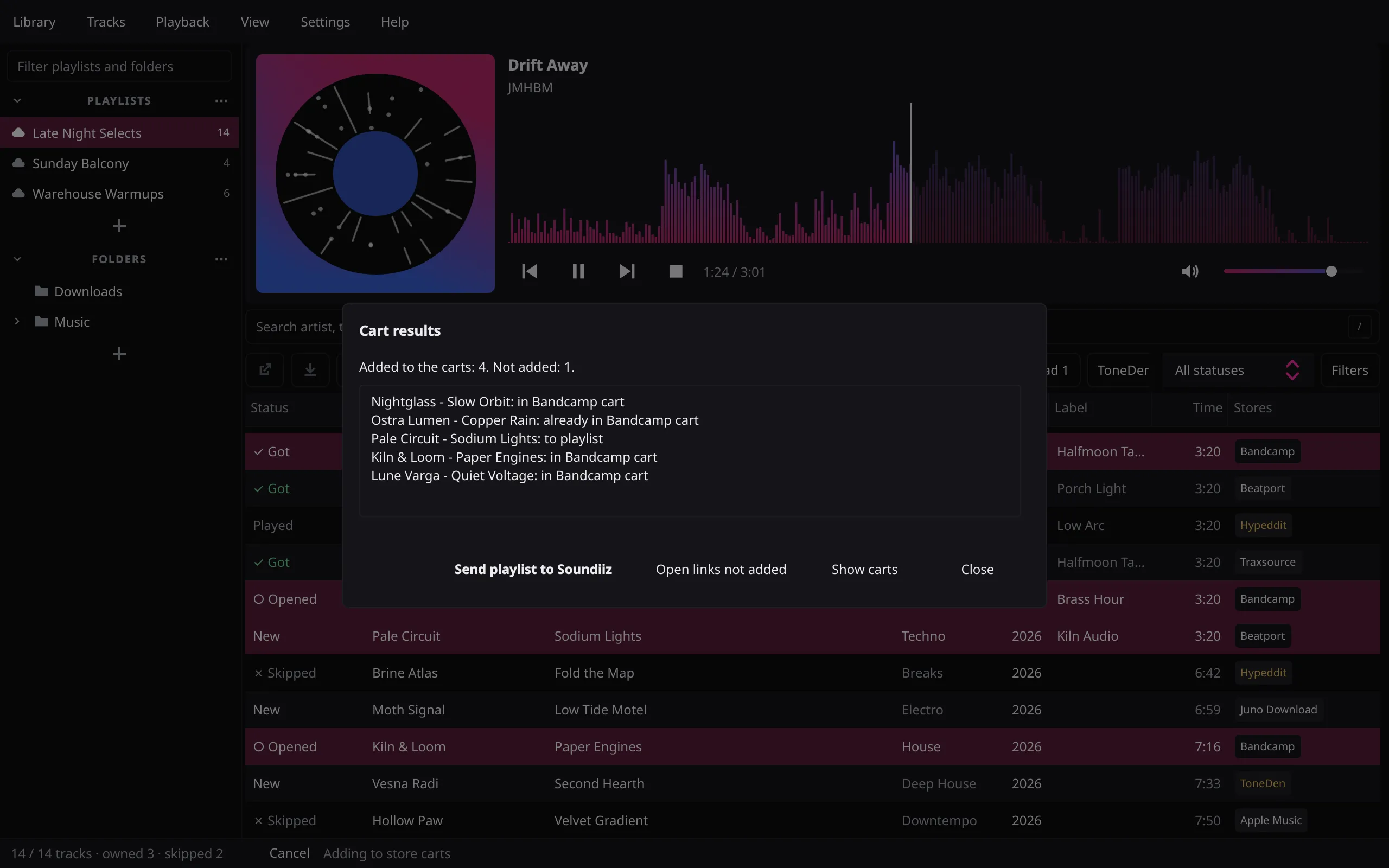
Ready for the decks: files your CDJs and XDJs read
Folders on disk open in the same table, and leave it as copies your decks can read.
Your local library
Browse folders beside your playlists and build local playlists from them. BPM and key are estimated on your computer and can be corrected by hand; analysis never writes audio tags or rekordbox data. WAV, AIFF, FLAC, MP3, AAC and M4A.
Export for the decks
Tick the decks the files must play on and the app picks the best format they all read: FLAC when every chosen deck reads it, otherwise WAV, at the highest bit depth and sample rate they share. Files the decks already play are copied as they are; only the rest are converted, into a new folder.
Where it stops The rules come from each deck's manual: this is audio-file compatibility, not hardware testing or a rekordbox export. It never upsamples and never formats a drive.
System requirements
Windows 10+, macOS 15+ and Linux.
Download dj-digger
Then connect your browser: download gates and store carts run through the extension.